Verify the Windows Agent Installation
Perform the following checks to see if the Windows agent successfully installed.
Check the Status of the Windows Agent Service
Open a PowerShell terminal or Command Prompt window as administrator.
Enter the command to check status for the
lwdatacollectorservice:C:\Users\Administrator> sc.exe query lwdatacollector(in Powershell)or
C:\Users\Administrator> sc query lwdatacollector(in Command Prompt)Verify that the
LWDataCollectorservice is running:SERVICE_NAME: LWDataCollector
STATE: RUNNING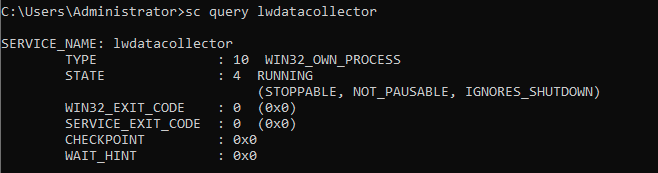
Alternatively, open Task Manager, select the Services tab, and verify that the
LWDataCollectorservice is running.
Check the Status of the Windows Agent Driver
Open a PowerShell terminal or Command Prompt window as administrator.
Enter the command to check status for the
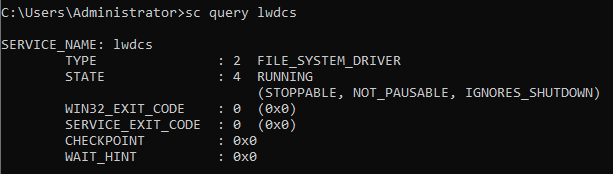
lwdcsdriver:C:\Users\Administrator> sc.exe query lwdcs(in Powershell)or
C:\Users\Administrator> sc query lwdcs(in Command Prompt)Verify that the lwdcs service is running:
SERVICE_NAME: lwdcs
STATE: RUNNING