Code Security Policies
To view code security policies that are available for your organization, log in to the Lacework Console and select Code Security > IaC in the main sidebar menu and click the Policies tab.
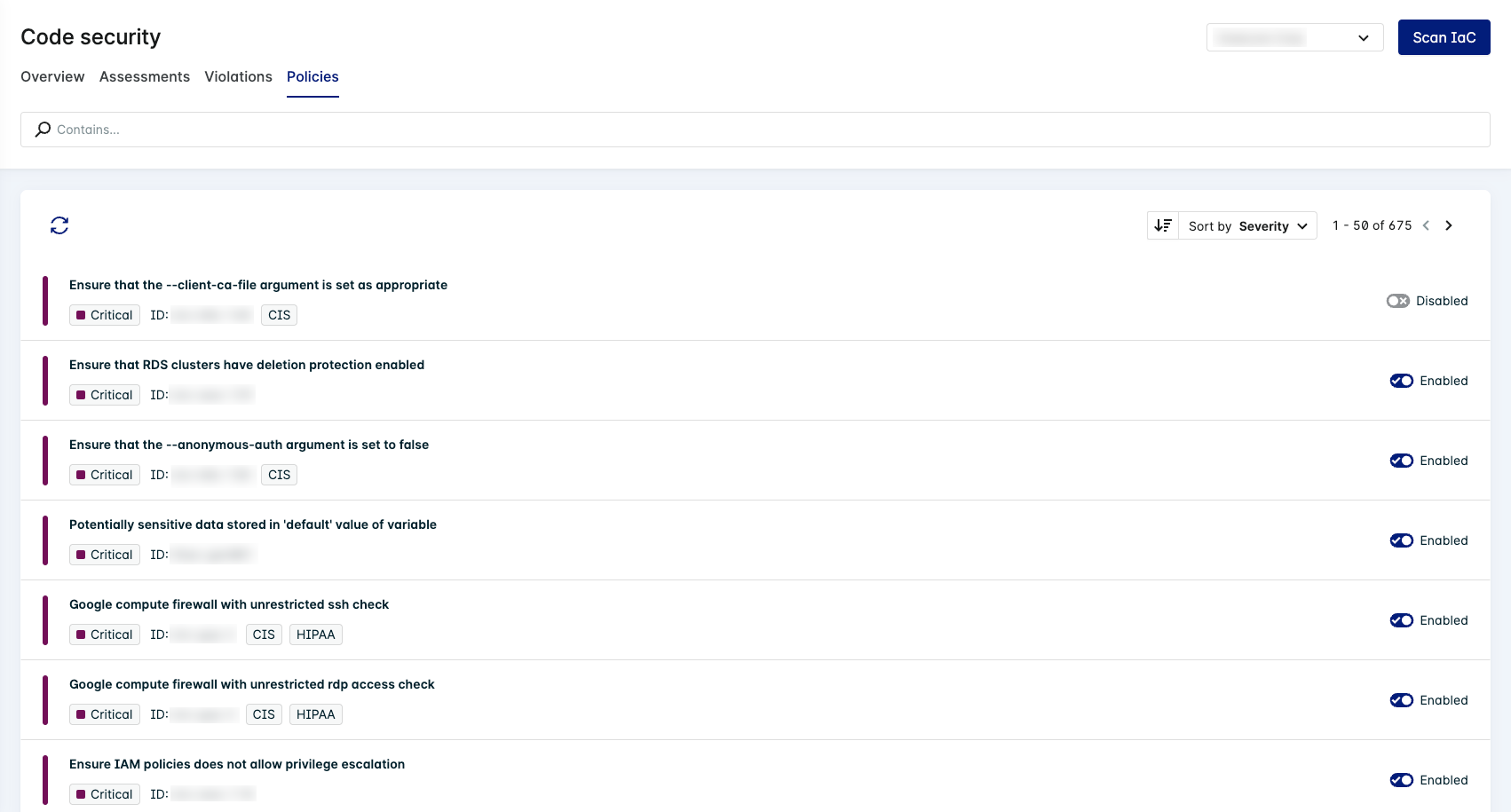
The Policies page provides a list of all available policies for your integrated organization. The dropdown in the upper right-hand corner of the page displays the organization that is currently selected. To change the organization, use the dropdown to select a different organization. Click Refresh Orgs to be directed to the code repository integration wizard. Go to Integrate Repositories for more information.
Click Add integration to set up a new integration.

List of Available Policies
The list of available policies provides a brief description of each policy, its severity, ID, compliance violation tag, and status. This list can be searched based on keywords using the Contains search function. You can also refresh the data in the list and sort by severity. Click the status toggle to enable or disable a specific policy for the selected organization. For more information about a policy, click the policy to view the Policy Details Drawer.
Policy Details Drawer
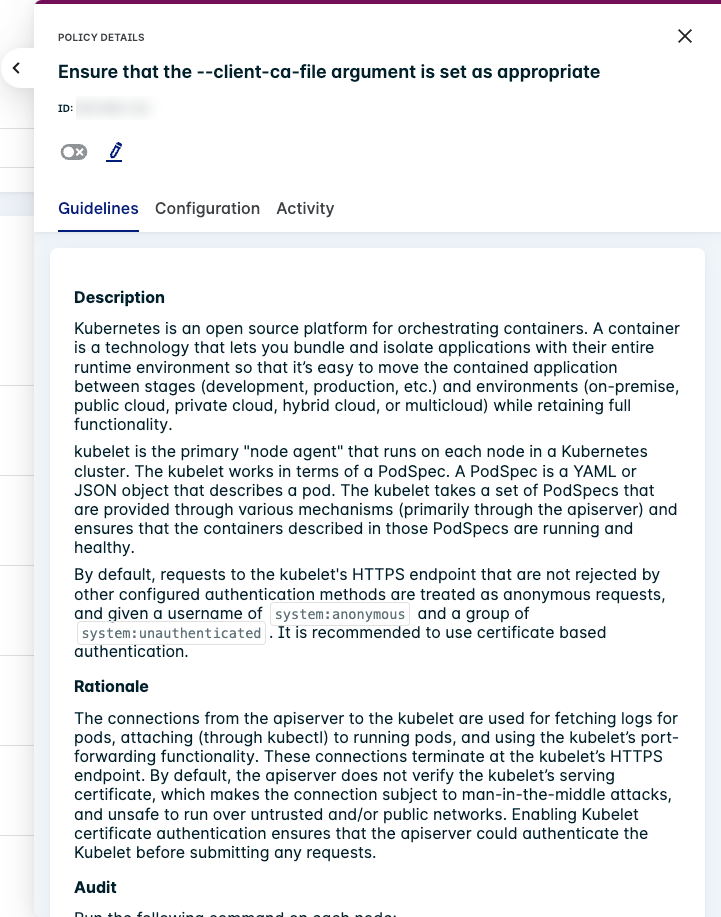
Click a policy in the policy list to open the Policy Details Drawer. This drawer displays a brief description of the policy and its ID. It also includes a toggle to enable or disable the policy for your organization and an edit icon you can click to change the policy's configuration.
Guidelines
The Guidelines tab is the default policy details drawer page. It includes an in-depth description of the policy as well as a rationale for why it is important. The remediation guidelines provide instructions on how you may resolve a violation for a specific policy.
Some policies may have additional guidelines such as impact, references, notes, and instructions to audit a specific element of the policy such as nodes. You may also find information about compliance measures such as CIS and HIPAA that relate to the specific policy.
Configuration
The Configuration tab of the policy drawer provides additional information about a policy in a simple breakdown of the severity, ID, Category, Provider, Check type, and applicable compliance measures.
Activity
To view activity for a specific policy, such as when it was enabled and who enabled it, click the Activity tab in the Policy Details Drawer.