Integrate Lacework Into CI/CD
Lacework supports a number of CI/CD providers. Below we will review each of the supported integration:
- GitHub Actions
- Gitlab
- Circle CI
- Jenkins
- Azure DevOps
- Other
Jenkins Integration 📎
Integrate with Jenkins
The following is an example of Jenkins pipeline using Docker to pull an image and the Lacework inline scanner to evaluate the image.
You can use the executable or the Docker container. See Docker Image for Inline Scanner.
This simple Jenkins pipeline takes IMAGE_NAME, IMAGE_TAG, and BUILD_ID as inputs.
Every Jenkins slave that executes this pipeline must have the following installed:
- curl
- docker cli
Add the following variables to your Jenkins Credentials as Secret Text:
- LW_ACCESS_TOKEN: See Integrate Inline Scanner to get your access token.
- LW_ACCOUNT_NAME
pipeline {
    agent any

    environment {
        LW_ACCESS_TOKEN = credentials('LW_ACCESS_TOKEN')
        LW_ACCOUNT_NAME = credentials('LW_ACCOUNT_NAME')
    }

    parameters {
        string (name: 'IMAGE_NAME',
                description: "Specify Image Name",
                defaultValue: '')
        string (name: 'IMAGE_TAG',
                description: "Specify Image Tag",
                defaultValue: '')
    }

    stages {
        stage('Pull') {
            steps {
                echo 'Pulling image ...'
                sh "docker pull ${IMAGE_NAME}:${IMAGE_TAG}" //Pull the image to scan
            }
        }
        stage('Scan') {
            steps {
                echo 'Scanning image ...'
                sh "curl -L https://github.com/lacework/lacework-vulnerability-scanner/releases/latest/download/lw-scanner-linux-amd64 -o lw-scanner"
                sh "chmod +x lw-scanner"
                sh "./lw-scanner image evaluate ${IMAGE_NAME} ${IMAGE_TAG} --build-id ${BUILD_ID}"
            }
        }
    }
}
Optionally, you can implement the exit codes to prevent container images from being deployed due to a policy violation, see Exit codes for Policy Violations
You need to create container vulnerability policies before implementing the exit codes. To create vulnerability policies, see Vulnerability Policy Management
For more details on integrating Lacework with Jenkins, see the blog post Up and Running with Lacework and Jenkins.
Azure DevOps Integration 📎
Integrate with Azure DevOps
This sample azure-pipelines.yml file demonstrates building a sample image azure.devops/app
and scanning it with Lacework:trigger:
- up_and_running
pool:
vmImage: 'ubuntu-latest'
steps:
- script: |
docker build -t azure.devops/app:latest .
displayName: 'Build a docker image'
- script: |
apt-get update
apt-get -y install curl
curl -L https://github.com/lacework/lacework-vulnerability-scanner/releases/latest/download/lw-scanner-linux-amd64 -o lw-scanner
chmod u+x lw-scanner
./lw-scanner image evaluate azure.devops/app latest
displayName: 'Scan the image'
env:
LW_ACCESS_TOKEN: $(LW_ACCESS_TOKEN)
LW_ACCOUNT_NAME: $(LW_ACCOUNT_NAME)
Add the variables LW_ACCESS_TOKEN and LW_ACCOUNT_NAME to your pipeline in Azure DevOps. See Integrate Inline Scanner to retrieve the values.
You can use the executable or the Docker container. See Docker Image for Inline Scanner.
Github Actions Integration 📎
Integrate with GitHub Actions
Add the variables LW_ACCESS_TOKEN and LW_ACCOUNT_NAME to your pipeline in GitHub Actions. See
Configure Authentication Using Environment Variables
and GitHub Environments Documentation
- uses: lacework/lw-scanner-action@v1.0.0
  name: Scan container image for vulnerabilities using Lacework
  with:
    LW_ACCOUNT_NAME: ${{ secrets.LW_ACCOUNT_NAME }}
    LW_ACCESS_TOKEN: ${{ secrets.LW_ACCESS_TOKEN }}
    IMAGE_NAME: YourImageName
    IMAGE_TAG: YourImageTag
For more information about other available options, see GitHub Action for using the Lacework inline scanner.
You can use the executable or the Docker container. See Docker Image for Inline Scanner.
Gitlab Integration 📎
Integrate with Gitlab
The following is an example of a gitlab.yaml file using Docker to build an image and the Lacework inline scanner to evaluate the image.
You can use the executable or the Docker container. See Docker Image for Inline Scanner.
stages:
  - build
docker:image:
  stage: build
  image: docker:1.11
  services:
    - docker:dind
  script:
    - docker build -t image_name:tag .
    - apk update &&
    - apk add --no-cache curl &&
    - curl -L https://github.com/lacework/lacework-vulnerability-scanner/releases/latest/download/lw-scanner-linux-amd64 -o lw-scanner
    - chmod u+x lw-scanner &&
    - ./lw-scanner image evaluate image_name tag
    - echo "Performing Vulnerability Scan powered by Lacework"
- Add the following variables to your Gitlab project through the Gitlab console.
- Go to your project’s Settings > CI/CD and select Variables.
- Click Add Variable.
- Add
LW_ACCESS_TOKENwith the token value. - Add
LW_ACCOUNT_NAMEwith the name value.
CircleCI Integration 📎
Integrate with CircleCI
CircleCI is a continuous integration and delivery platform that you can use to implement DevOps practices.
See Lacework Orb for CircleCI for guidance on running on-demand vulnerability scans and other operations within your CI/CD pipeline.
- Some operations require a Lacework API Access Key and Secret as parameter entries.
* The default executor is the Docker container image for Inline Scanner. This as an alternative to the Lacework Inline Scanner executable binary.
Travis CI Integration 📎
Integrate with TravisCI
This sample .travis.yml file demonstrates scanning an image with Lacework.
This example sets the /var/run/docker.sock default option, which is not generally recommended.
Consider adjusting the daemon socket option to suit your environment.
services:
  - docker

# Environment variables. These can be set up once in Travis instead of .travis.yml
env:
  global:
    - LW_ACCESS_TOKEN=YourAccessToken
    - LW_ACCOUNT_NAME=YourAccountName

script: ->
  docker run
  -e LW_ACCOUNT_NAME=$LW_ACCOUNT_NAME
  -e LW_ACCESS_TOKEN=$LW_ACCESS_TOKEN
  -v /var/run/docker.sock:/var/run/docker.sock
  lacework/lacework-inline-scanner:latest image evaluate YourImageNameToScan YourImageTagToScan
  --build-id $TRAVIS_BUILD_ID --build-plan $TRAVIS_JOB_NAME
Bitbucket Integration 📎
Integrate with Bitbucket Pipelines
The Lacework Scan Bitbucket Pipe lets you integrate Lacework container security capabilities into your Bitbucket Pipeline's CI/CD. It allows you to scan and assess Docker container images and software packages for vulnerabilities during the build stage. Optionally, you can stop and fail the build when issues are detected to prevent vulnerable software from being deployed.
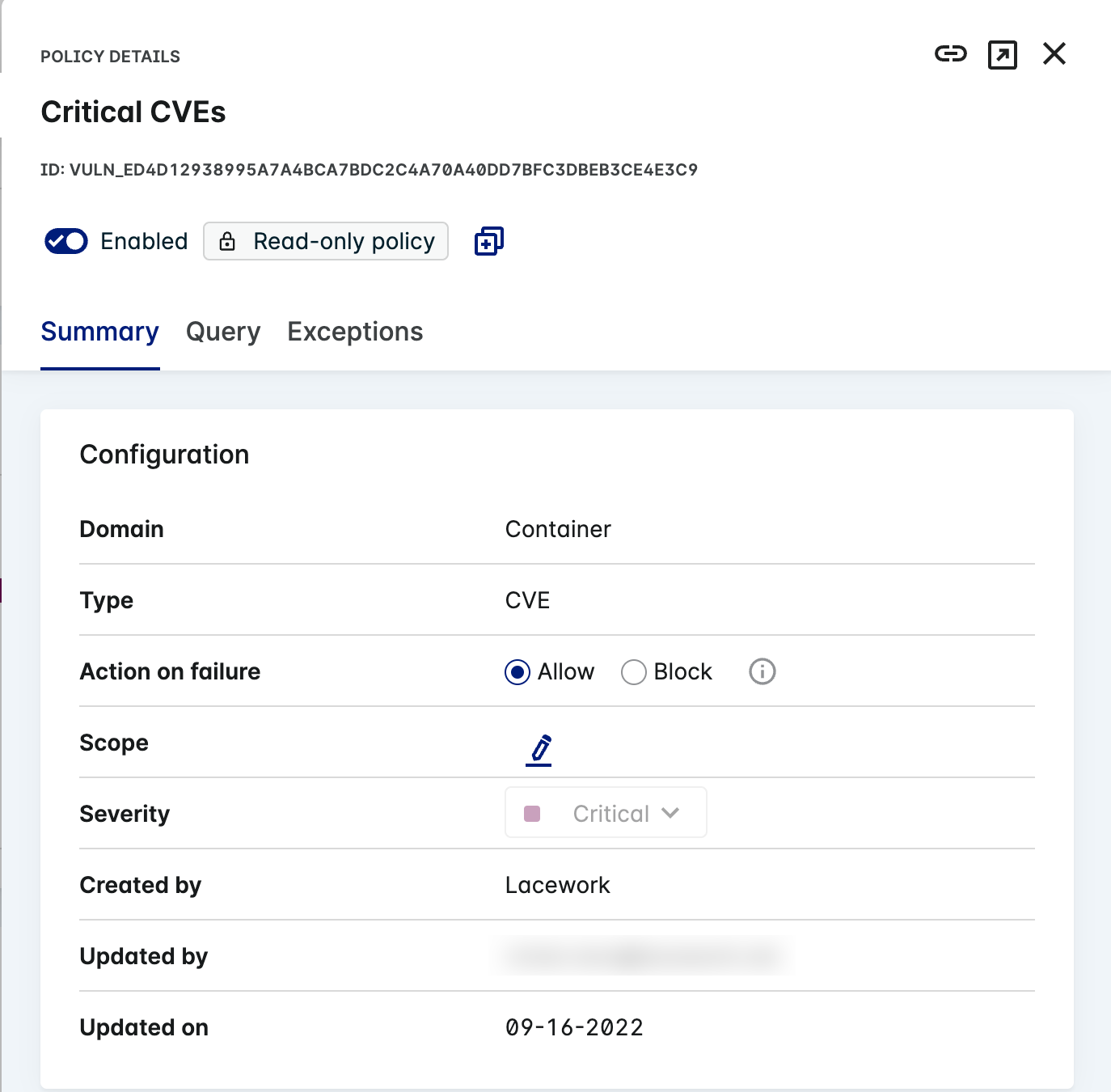
Container vulnerability policies must be set in Lacework in order to block CI/CD builds. Learn how to create a policy and attach the policy to the inline scanner integration.
Here's a full example Bitbucket Pipeline using the Lacework Scan pipe.
Add the following snippet to the script section of your bitbucket-pipelines.yml file:
script:
  - pipe: lacework/lacework-scan:1.2.0
    variables:
      LW_ACCOUNT_NAME: "<string>" # Required
      LW_ACCESS_TOKEN: "<string>" # Required
      IMAGE_NAME: "<string>" # Required
      IMAGE_TAG: "<string>" # Required
(You can also use lacework/lacework-scan:latest)
Pipe Variables
Use the following variables to control the Lacework Scan Bitbucket pipe behavior.
| Variable | Usage |
|---|---|
| LW_ACCOUNT_NAME (*) | Your Lacework account name. For example, if your login URL is mycompany.lacework.net, the account name is mycompany. |
| LW_ACCESS_TOKEN (*) | Authorization token. Copy and paste the token from the inline scanner integration created in the Lacework Console. |
| IMAGE_NAME (*) | The local Docker image to scan. |
| IMAGE_TAG (*) | The local Docker image tag. |
(*) = required variable.
AWS CloudBuild Integration 📎
Integrate with AWS CodeBuild
AWS CodeBuild is a fully managed cloud CI service that can build your source code and test and deploy your applications. You can integrate the Lacework inline scanner into the AWS CodeBuild build stage to discover software vulnerabilities. Optionally, you can use AWS CodeBuild with AWS CodePipeline to orchestrate multiple AWS CodeBuild projects that build and deploy. An example of using Lacework with AWS CodePipeline and CodeBuild can be found in this repository.
To add the Lacework inline scanner to your AWS CodeBuild project, follow this AWS CodeBuild buildspec example that performs a Docker build, Lacework vulnerability scan and then a Docker push to Amazon Elastic Container Registry (ECR).
You can use the executable or the Docker container. See Docker Image for Inline Scanner.
This example shows you how to pull the Lacework inline scanner account and token from the SSM parameter store, set environment variables, and install and run the Lacework inline scanner. Vulnerability results appear in the AWS CodeBuild build logs.
version: 0.2
env:
  parameter-store:
    LW_ACCOUNT_NAME: "LWAccountName" # pull Lacework inline scanner parameters from SSM parameter store
    LW_ACCESS_TOKEN: "InlineScannerToken"
phases:
  build:
    commands:
      - docker build -t "$DOCKER_REG/$IMAGE_NAME:$CODEBUILD_BUILD_NUMBER" -t "$DOCKER_REG/$IMAGE_NAME:latest" .
  post_build:
    commands:
      - export LW_ACCOUNT_NAME=$LW_ACCOUNT_NAME #Set Lacework inline scanner environment variables
      - export LW_ACCESS_TOKEN=$LW_ACCESS_TOKEN
      - export LW_SCANNER_DISABLE_UPDATES=true
      - export LW_SCANNER_SAVE_RESULTS=true
      - rm -rf ./evaluations/$IMAGE_NAME/$CODEBUILD_BUILD_NUMBER/evaluation_*.json || true
      - curl -L https://github.com/lacework/lacework-vulnerability-scanner/releases/latest/download/lw-scanner-linux-amd64 -o lw-scanner # install
      - chmod +x lw-scanner
      - ./lw-scanner image evaluate $DOCKER_REG/$IMAGE_NAME $CODEBUILD_BUILD_NUMBER --build-id $CODEBUILD_BUILD_NUMBER --data-directory . # execute
      - aws ecr get-login-password --region $AWS_REGION | docker login --username AWS --password-stdin $DOCKER_REG
      - docker image push -a "$DOCKER_REG/$IMAGE_NAME"
Atlassian Bamboo Integration 📎
Integrate with Atlassian Bamboo
The following is an example of a simple pipeline in Atlassian Bamboo, in which the Lacework Inline Scanner is used to evaluate the image.
1. Set the Environment Variables
Set the Lacework Account Name and Access Token as environment variables in Atlassian Bamboo, so that the Inline Scanner can authenticate to Lacework when it scans your images.
-
Go to Global Variables.
-
Add the following new environment variables:
LW_ACCOUNT_NAME =
<lacework-account-name>
LW_ACCESS_TOKEN =<inline-scanner-access-token>- For your account name, if your login URL is mycompany.lacework.net, the account name is
mycompany. - You can obtain your access token from the Lacework Console.
- For your account name, if your login URL is mycompany.lacework.net, the account name is
2. Add a Stage for the Inline Scanner into your Plan Configuration
-
Edit or create a stage where you want to insert a new step for the Lacework Inline Scanner.
-
Choose from one of the following implementation examples below to add your task.
In both examples, the build is set to fail if a Lacework policy violation is detected during a scan. See Exit Codes for Policy Violations for different flags that can be used.
-
Option 1 - Binary implementation:
-
Task type = Script
-
Task description = a simple description for your task. Example “Scan image with Lacework”.
-
Interpreter = Shell
-
Script location = Inline
-
Script Body:
curl -L https://github.com/lacework/lacework-vulnerability-scanner/releases/latest/download/lw-scanner-linux-amd64 -o lw-scanner chmod +x lw-scanner ./lw-scanner image evaluate ${bamboo.REGISTRY}/${bamboo.IMAGE_NAME} latest --build-id ${bamboo.buildNumber} --tags mytag=myvalue --save --policy --fail-on-violation-exit-code 1 -
Environment Variables:
LW_ACCOUNT_NAME=<lacework-account-name> LW_ACCESS_TOKEN=<inline-scanner-access-token>
-
-
Option 2 - Docker Container Image implementation.
-
Task type = Docker
-
Task description = a simple description for your task. Example “Scan image with Lacework”.
-
Command = Run a Docker container
-
Docker image:
lacework/lacework-inline-scanner:latest -
Container environment Variables:
LW_ACCESS_TOKEN="${bamboo.LW_ACCESS_TOKEN}" LW_ACCOUNT_NAME="${bamboo.LW_ACCOUNT_NAME}" -
Container command:
image evaluate ${bamboo.REGISTRY}/${bamboo.IMAGE_NAME} latest --build-id ${bamboo.buildNumber} --tags mytag=myvalue --save --policy --fail-on-violation-exit-code 1
-
-
-
Save your task/stage once complete.
Results from the scans can be found in the Lacework Console (as long as the --save flag is used as per these examples). Scan output can also be found in the Bamboo build logs for the build results.